
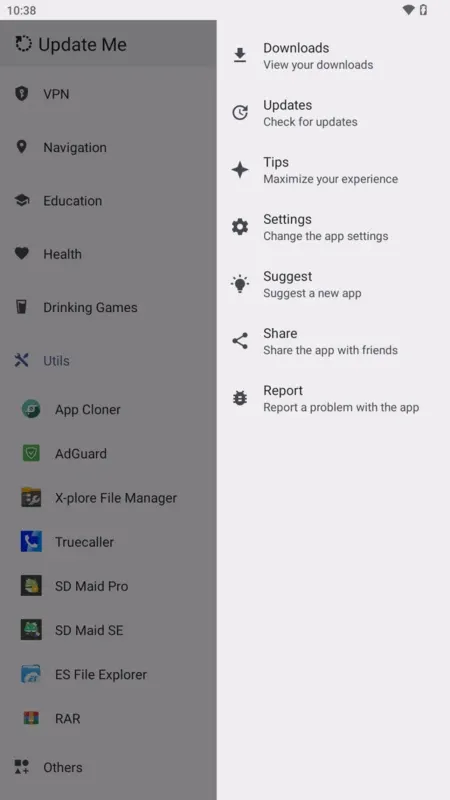
Keeping modified Android apps updated can be more complicated than updating regular apps from the APKPure.co.in. Many modded applications come from different sources and users often need to search manually for a newer APK whenever an update is released. That is the problem the Update Me APK is designed to simplify.
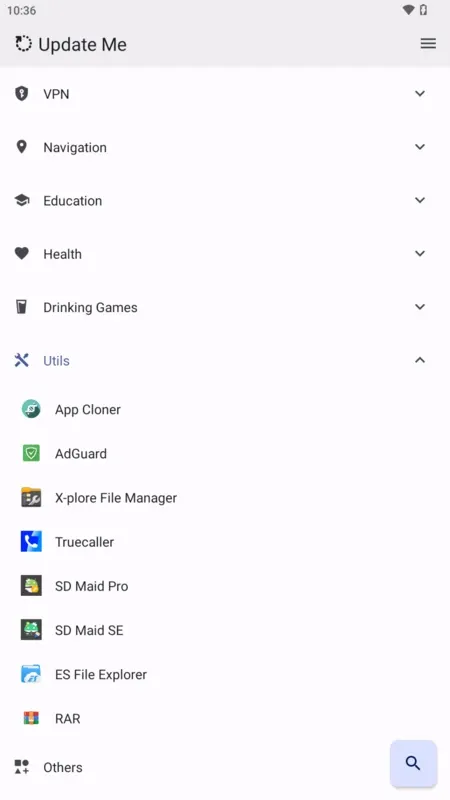
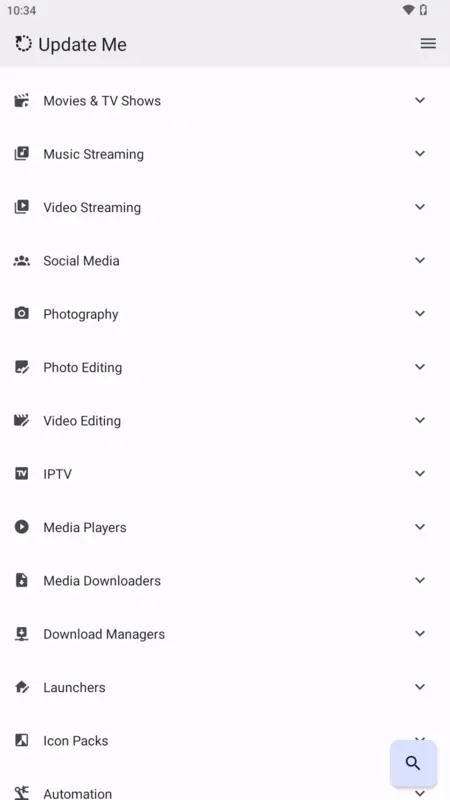
It acts as an Android update manager and app library where users can discover supported modified applications and check whether newer versions are available. Instead of visiting several websites repeatedly, users can manage many of their app updates from one place.
The idea sounds convenient but convenience is only one part of the decision. Anyone using third-party APK files should also understand version compatibility, installation permissions and security risks before replacing an existing app.
Why Updating Modded Apps Is More Difficult Than Regular Android Apps
Apps installed through Google Play normally receive updates through the Play Store. Android checks the installed package and lets the user know when the developer publishes a newer compatible version. Modified apps often sit outside this system.
A user may install an APK from one source today then discover weeks later that the original app has already moved to a newer version. Finding the correct update can involve searching websites, comparing version numbers and checking whether the new APK will install over the existing copy.
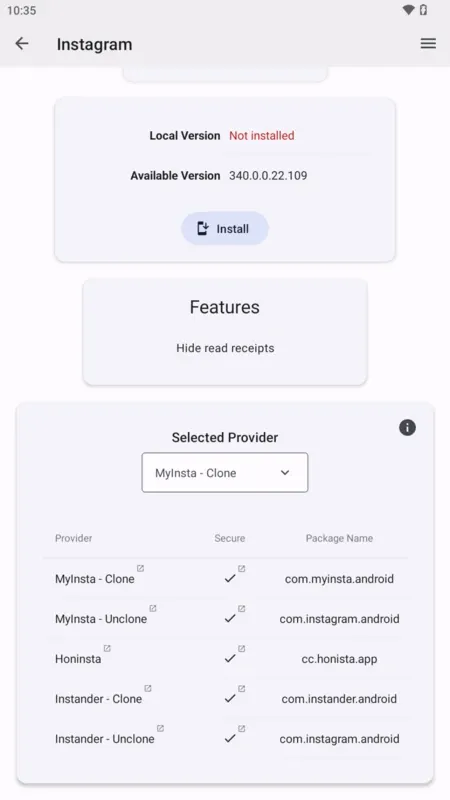
There is another complication: two APK files with the same app name are not always technically interchangeable. They may use different package names or signing certificates. In some cases Android will refuse to install an update because the new file is signed differently from the version already installed.
An update manager built around third-party apps can reduce some of this manual work by keeping information about supported versions in one place.
What Update Me Is Designed to Do
The main purpose of the app is straightforward: help Android users find and manage updates for supported modified applications. Instead of checking every installed app separately users can use the platform as a central place to browse available releases and identify newer versions.
Typical functions associated with this type of app include:
- Checking supported apps for newer releases
- Providing access to a larger library of Android applications
- Reducing the need to search multiple APK websites
- Helping users track version changes
- Making frequently updated modified apps easier to manage
The exact range of supported apps can change over time so users should not assume that every installed Android application will appear in the library.
Automatic Updates Can Save Time but Still Need Attention
Automatic update checking is probably the most useful feature for people who keep several modified apps installed. Imagine having ten apps that were downloaded outside Google Play. Without an update manager you may need to remember where each APK came from then visit those sources every few weeks. If several apps release updates regularly this becomes tedious.
A centralized updater can make the process much simpler by showing which supported apps have newer releases. That does not mean users should install every update immediately.
Before replacing an existing version it is sensible to compare the version number, read any available release information and make sure the update matches the package already installed. An update that comes from a different build or developer may behave differently even when the app name looks identical.
The App Library Is Useful for Discovery
The application library is another reason users may be interested in this platform. Rather than functioning only as an update checker it can also help people discover versions of apps that may not appear in the standard Play Store environment. This can include modified versions and other Android packages distributed through third-party channels.
A large library makes browsing easier but the number of apps available should not be the only factor used when choosing an APK source. Users should also look at where the file comes from, whether version information is clearly provided and whether there is enough information to identify the application before installation. With third-party Android software the source of the APK matters just as much as the features inside it.
A Practical Way to Check an Update Before Installing It
Users often focus on finding the newest version but compatibility is equally important. Before installing an update check these four things:
1. Compare the version number
Make sure the downloadable version is actually newer than the one currently installed. Android app version names can look similar so comparing both the displayed version and release information can help.
2. Check the package identity
Modified versions sometimes use different package names. If the package is different Android may install the new version as a separate application rather than updating the existing one.
3. Consider app data
Removing an old app before installing a differently signed version may delete locally stored information. Back up important data when the application supports it.
4. Review permissions
If a new release suddenly asks for permissions that appear unrelated to its function users should investigate before approving them. These checks take only a little time but can prevent many common installation problems.
Is Update Me APK the Same as Google Play Store?
No. They serve different purposes. Google Play is Google’s official Android application distribution platform. Apps published there go through Google’s platform requirements and updates are normally handled automatically through a familiar system.
Third-party update tools are designed for software distributed outside that ecosystem including APK files and modified applications. For regular Android applications the Play Store is usually the simpler source when the official version meets the user’s needs. Tools such as Update Me become more relevant for people who already use software obtained outside official app stores. You can also download Tool Run Spin Auto APK.
Are Modded Apps Safe to Install?
There is no universal answer because modified APK files can come from many different developers and distribution sources. A modded app is an altered version of an original application. The changes might remove restrictions, change interface elements or add functions that are not available in the official release. Those changes also mean the file is no longer necessarily identical to the version published by the original developer.
This creates several possible concerns. A modified APK can contain unexpected code, request unnecessary permissions or become outdated when the official application changes. Some apps may also depend on online services that block unofficial clients.
Users should therefore treat every third-party APK as a separate software installation rather than assuming it is safe simply because the original app is well known.
Common Mistakes When Using an APK Update Manager
One frequent mistake is assuming that the newest version is automatically the best version for every device. Android versions, device architecture and app dependencies can affect compatibility.
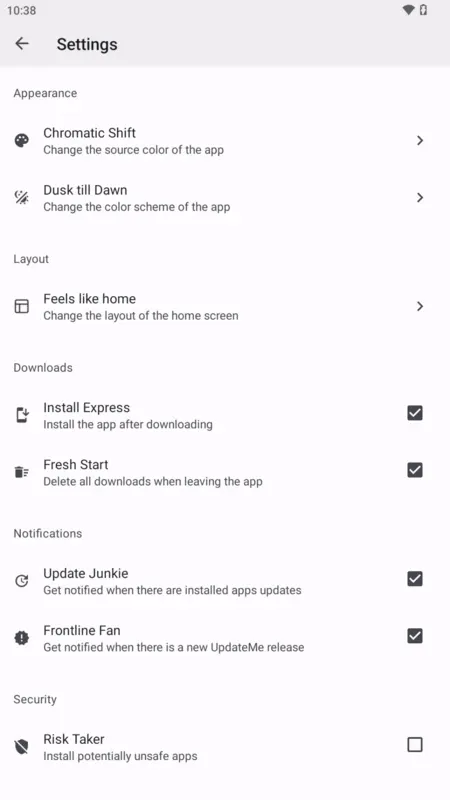
Another mistake is enabling installation permissions broadly and leaving them active. Android allows users to control which apps can install software from unknown sources. It is generally better to grant this ability only to the application that genuinely needs it rather than enabling unnecessary installation access.
Users should also avoid replacing an existing installation without considering app data. If Android reports a signing conflict the only solution may be uninstalling the old version first which can remove local settings or saved information. A little preparation makes updates much easier to reverse when something goes wrong.
Update Me vs Manually Downloading APK Updates
Manual downloads give users more control over where each file comes from but they require more effort. An update manager focuses on convenience. It reduces repeated searching and can make version tracking much easier for someone who maintains several apps.
The better option depends on the user. Someone with only one third-party app may not need a dedicated updater at all. A person managing many frequently updated APKs may find centralized update tracking far more practical.
Security-conscious users may also prefer manually verifying every release before installing it even when an updater detects the new version automatically.
Who Is This Type of App Best Suited For?
Update Me is most relevant for Android users who already install applications outside standard app stores and find manual update checking inconvenient.
It can be particularly useful when several modified apps are installed because the value of centralized version tracking increases as the number of apps grows.
Beginners should first understand how APK installation works, where Android stores app permissions and what happens when differently signed versions conflict. Experienced users may be comfortable with those steps already but should still verify the source and permissions of every new release.
A Better Approach to Managing Third-Party Android Apps
The biggest advantage of the Update Me APK is not simply access to more applications. It is reducing the repetitive work involved in keeping supported third-party apps current.
That convenience works best when users combine it with basic APK safety habits: verify versions, check permissions, protect important data and understand where each file comes from.
For people who regularly manage modified Android apps a centralized updater can make the process far easier. For users who only need standard applications from official stores the usual Play Store update system will normally remain the simpler option.


![SD Movies Point APK Download [Latest Version] 2026](https://apkpure.co.in/wp-content/uploads/2023/12/SD-Movies-Point-icon-96x96.webp)




